For iPhone · Free to start
Know the right play for every blackjack hand
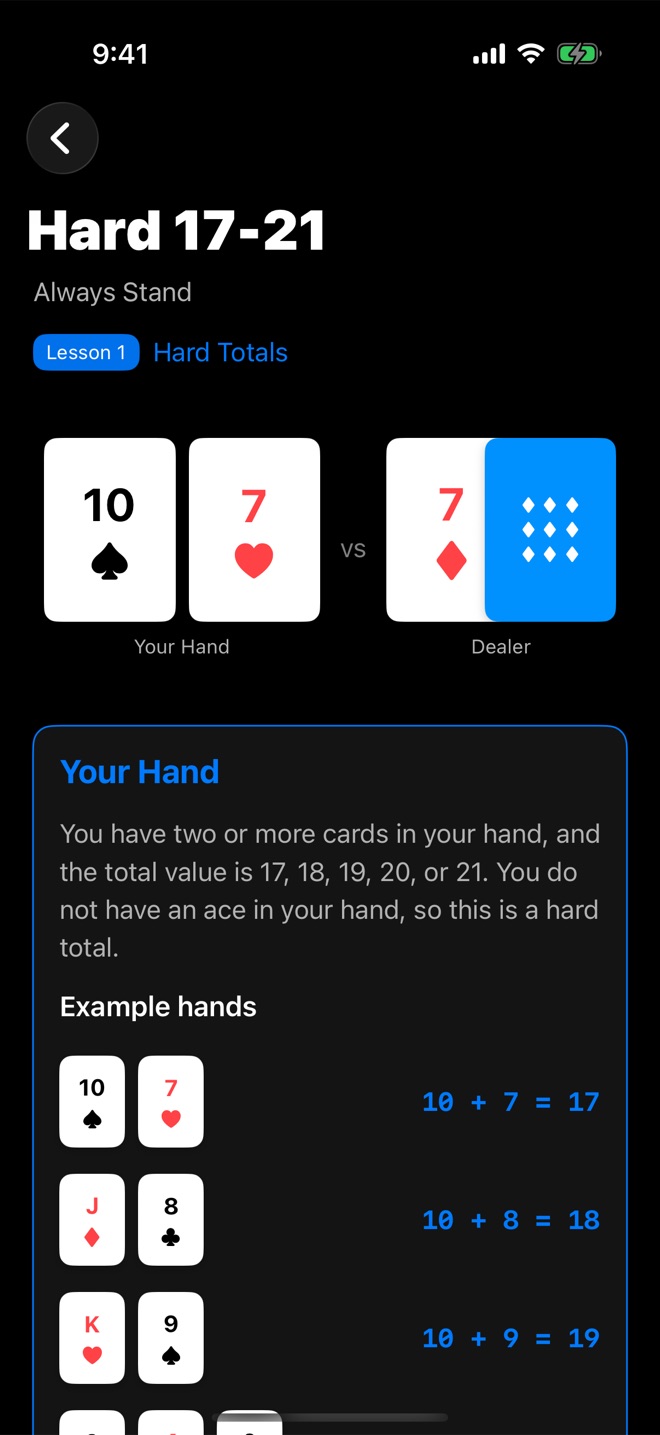
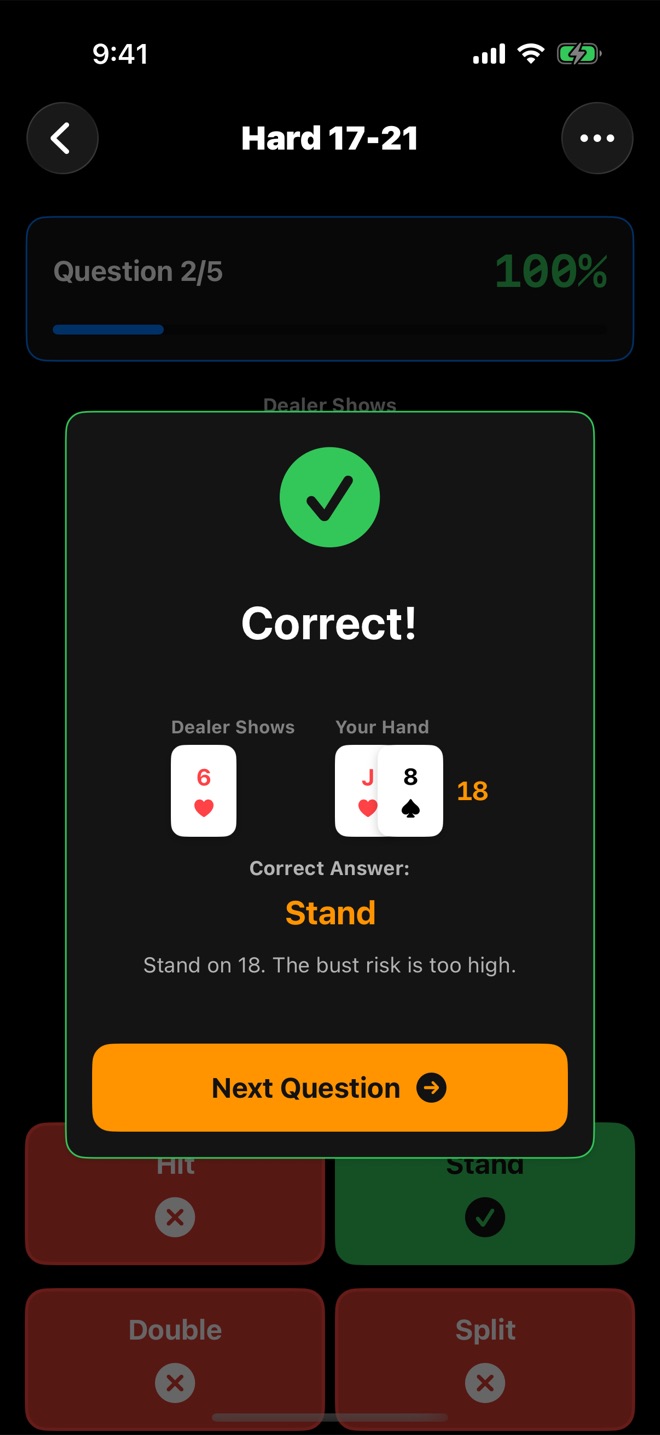
Upcard teaches you basic strategy and card counting in short lessons. Quick drills make them stick. There are no bets, no chips and no ads: you are scored on your decisions.
On the App Store as “Blackjack - Learn, Practice” until the next update.
- 18 strategy lessons
- 6 counting practice modes
- 5 practice tables
- 31 languages
Try it here
What is the right play?
Ten hands, straight from the strategy chart. Choose a play and see why it is right or wrong. This is how the app teaches.
Want to look first? Open the strategy chart.
Dealer shows
Your hand
How it works
Learn it, drill it, play it
Learn one rule at a time
Each lesson covers one small group of hands. It shows the play, then explains why it is right.
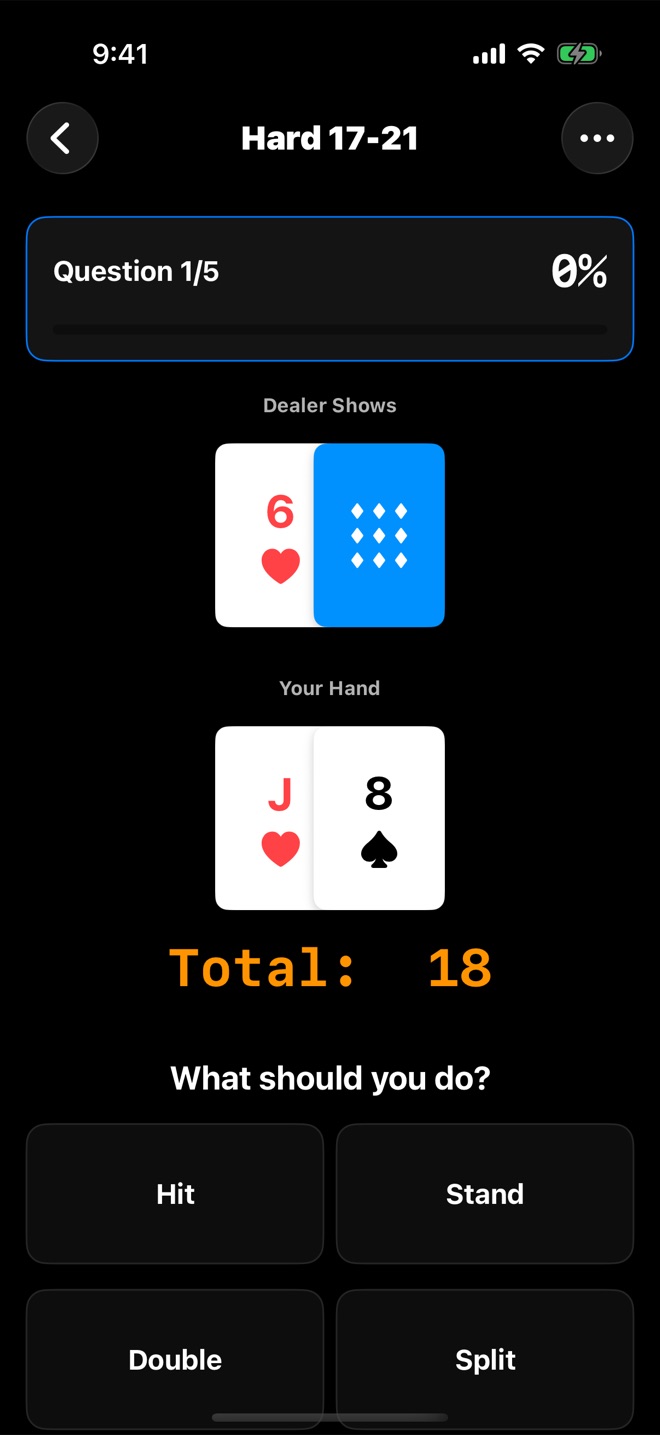
Drill until it is automatic
Answer real hands and see the reason at once. Reach 90% and the next lesson unlocks.
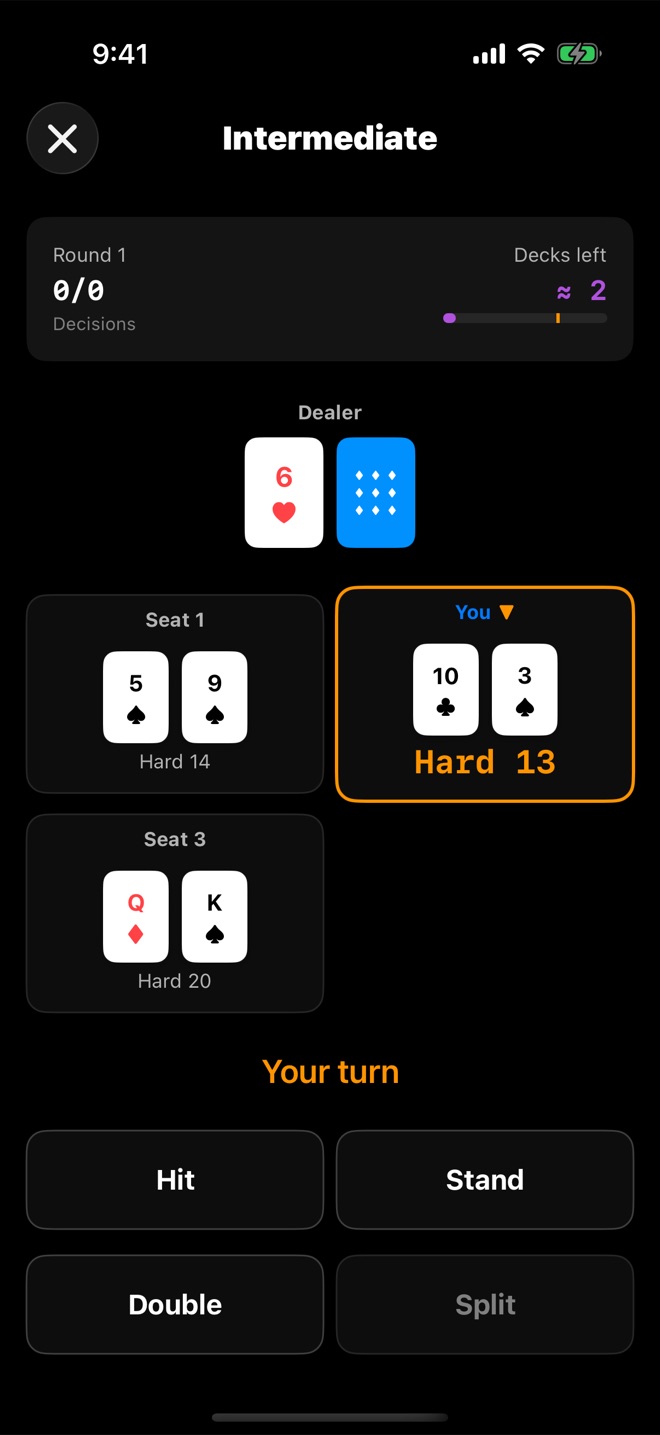
Put it together at a table
Play full rounds with other players at the table. The app checks every decision and your running count.
What is in the app
A full course, not a pile of flashcards
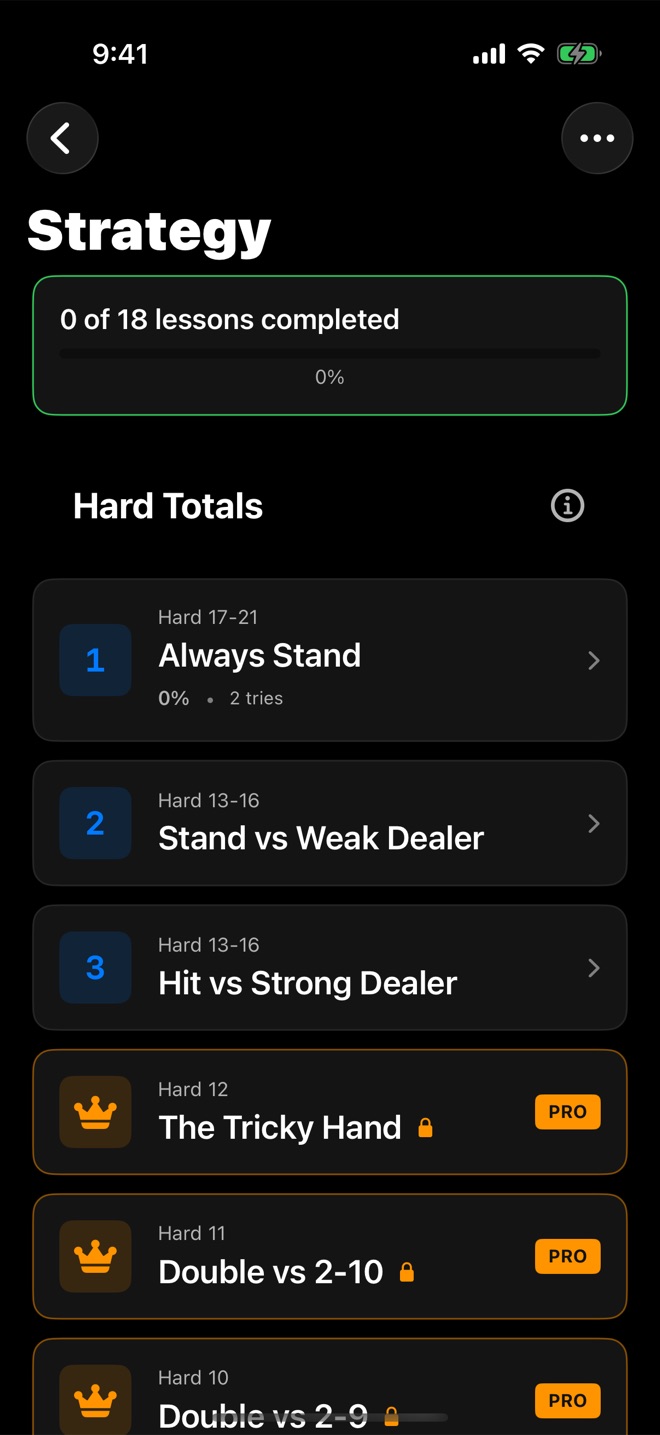
Basic strategy
18 lessons, from the easiest hands to the hardest
- Hard totals, soft hands and pairs, in an order that builds on itself.
- Every lesson has a chart for its hands and the key terms it uses.
- Review Mode mixes questions from every lesson you have finished.
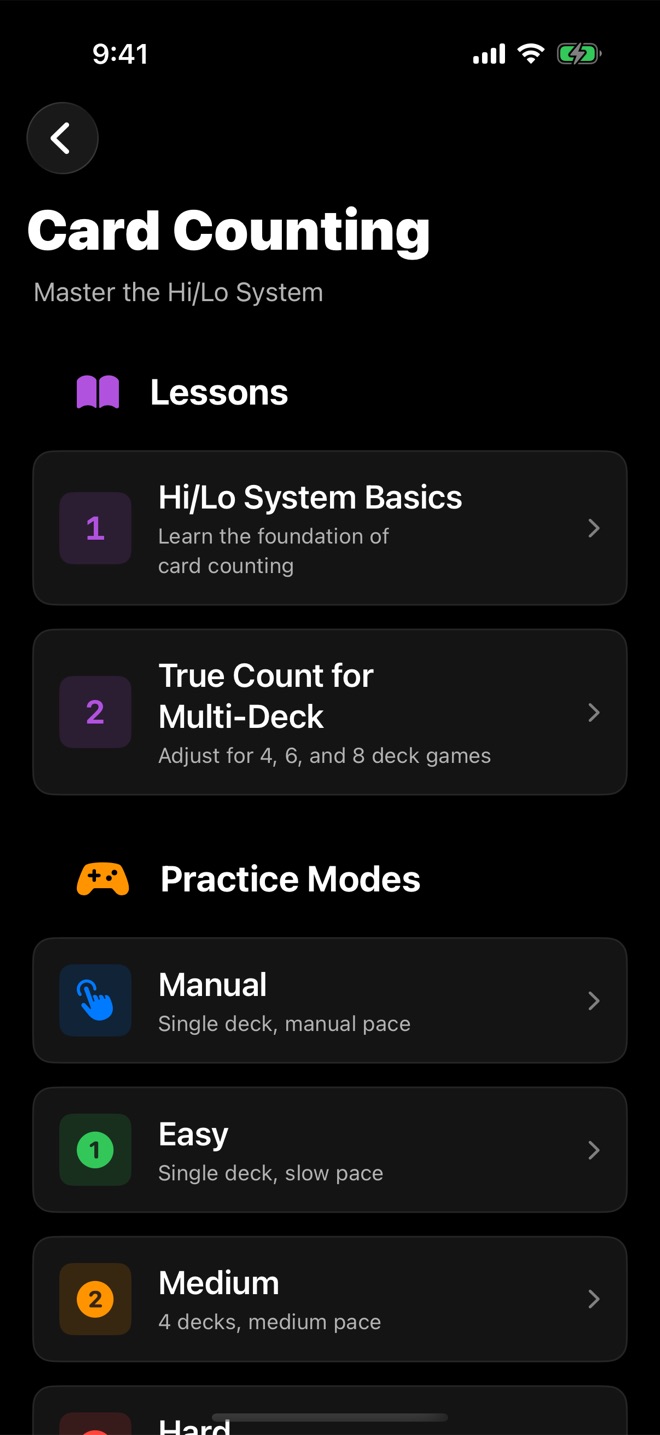
Card counting
The Hi-Lo count, from your first card to full speed
- Two lessons cover the running count and the true count.
- Six practice modes. Manual lets you draw each card when you are ready; Blitz deals 40 cards at top speed.
- Four more lessons teach the Illustrious 18, the plays that change with the count.
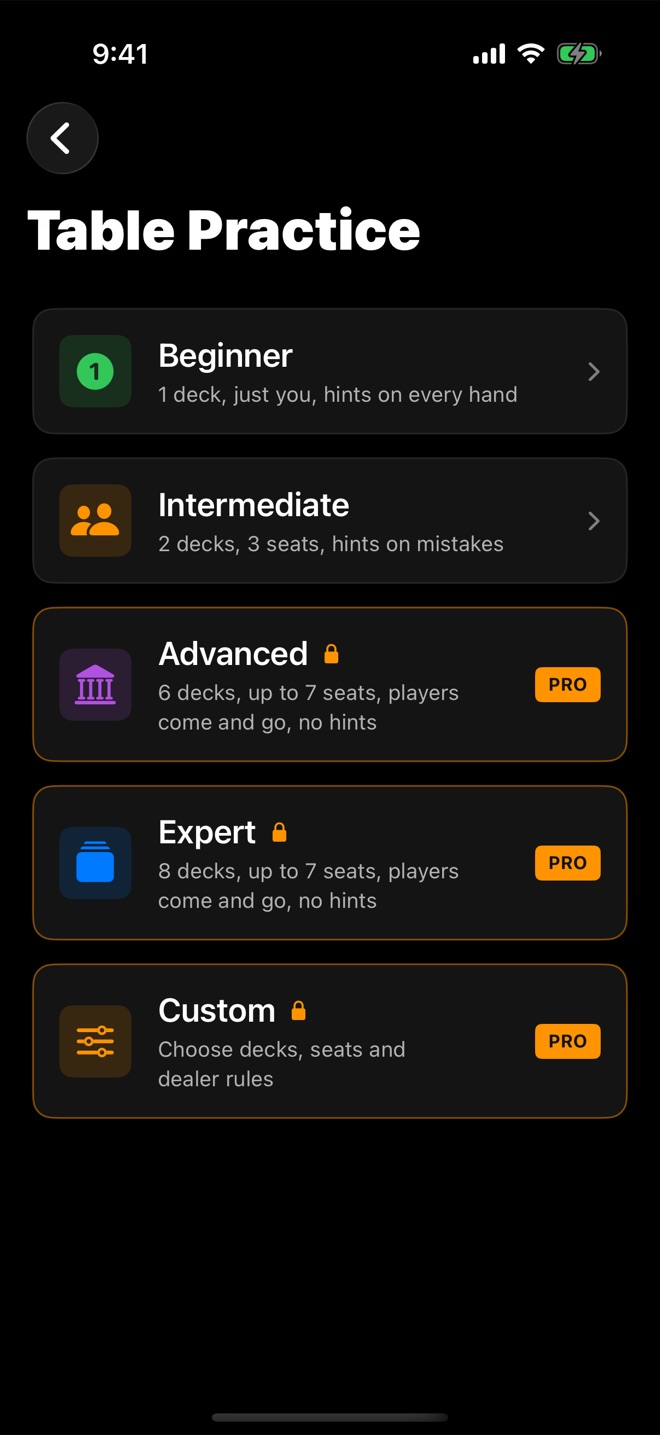
Table Practice
Five tables that get harder as you get better
- Beginner is one deck, just you, with a hint on every hand.
- Expert is eight decks and up to seven seats, with players who come and go and no hints.
- Custom lets you choose the decks, the seats and the dealer's rules.
Also in the app
Basics
Never played? Five short lessons, flashcards and a quiz take you from zero to ready.
Strategy Chart
The full chart. Choose your cards and the dealer's card, and it highlights the play.
What should I do?
Enter any hand to see the best play, the reason, and your chances.
EV Calculator
Enter a table's rules to see the house edge before you sit down.
Glossary
Every blackjack term in one place. Search it and save words to review.
Daily reminder
Pick a time and the app reminds you to practice.
What people say
“Just what I was looking for! It’s like duolingo for blackjack!”
Made for everyone
Accessible from the first screen
The app is built to work with the accessibility settings on your iPhone.
VoiceOver and Voice Control
Every screen is labeled and works without touch.
Larger text
Layouts reflow at the largest text sizes, in portrait and landscape.
Not color alone
Right and wrong, and every chart, use words and symbols as well as color.
Reduce Motion
Card animations calm down when you ask the system to reduce motion.
31 languages
Lessons, drills and blackjack terms are translated, not only the menus.
Works offline
No account and no connection needed.
Free on this site
Tools and guides, no download needed
Blackjack strategy chart
The complete chart for hard hands, soft hands and pairs.
Strategy advisor
Choose your two cards and the dealer's card. Get the best play and the reason.
House-edge calculator
See how a table's rules change the house edge.
How to Play Blackjack: The Rules in Five Minutes
The goal, the card values, what happens in a round, and the four choices you make on every hand.
Five Common Basic Strategy Mistakes
Five hands that feel wrong to play correctly, and why the chart says what it says.
How to Play Soft Hands in Blackjack
A soft hand cannot bust with one card, so the right play is bolder than most people expect. Every soft total, explained.
Questions
Is Upcard free?
It is free to download and free to start. The Basics section, the first three strategy lessons, manual card counting practice, and the Beginner and Intermediate practice tables are free. Pro unlocks everything else, and new subscribers get a free trial.
Is this a gambling app?
No. There are no bets, chips or money in the app, real or pretend. Every drill is scored on whether you made the right decision and kept the right count.
I have never played blackjack. Can I use it?
Yes. The Basics section starts from zero: the goal of the game, what the cards are worth, what happens in a round, and what each choice means. It ends with flashcards and a short quiz.
Which rules does the strategy assume?
The most common casino game: 4 to 8 decks, the dealer stands on soft 17, doubling after a split is allowed, and there is no surrender. The house-edge calculator shows how other rules change the numbers.
Is card counting illegal?
In the United States, counting cards in your head is not against the law. Casinos are private businesses, though, and can ask a player to stop playing or to leave. Using a device to count is illegal in some places. Rules differ by country, so check what applies where you are.
Does it work with VoiceOver and larger text?
Yes. The app supports VoiceOver, Voice Control, larger text sizes, Reduce Motion and Dark Mode, and it never uses color alone to tell you something.
Which languages is it available in?
English and 30 other languages, including Spanish, French, German, Portuguese, Japanese, Korean and Chinese.
Does it need an internet connection?
No. The lessons and drills work offline.
Why is it called Upcard?
The upcard is the dealer's card that you can see. Every decision in blackjack starts with it.
Is Upcard the same app as Blackjack - Learn, Practice?
Yes. Upcard is the app's new name. The App Store shows the old name until the next update.
Start with lesson one
Basics and the first three strategy lessons are free. The first lesson takes about five minutes.